Posts

Spring | JMS Listener via JmsListener annotation

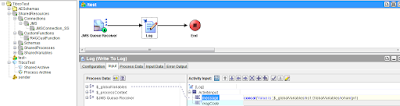
Spring framework provides annotation based configuration for dependency injection. Normally, MessageListener  interface needs to be implemented in Queue/Topic receiver class for incoming messages. The overridden onMessage method in that class handle the incoming message. Spring provides below annotations to enable jms communication. @JmsListener  annotation can mark any method to handle message.  @EnableJms  annotation to detect and register  @JmsListener  methods for jms messages. Below is class to handle jms message. @JmsListener requires default jms container factory configuration. Add below lines in bean conf file for this. Please refer this post for conf file. Deploy war file to JBoss server and send sample message from Gems tool.
TIBCO | Admin - Rolling deployment

Image
One of the important feature of enterprise application is to implement changes dynamically without affecting user experience. TIBCO applications can be configured in similar ways. This is called as rolling deployment or restart. We can dynamically change application with new EAR file and/or Global value configuration. Note : This is applicable only where deployed application is in multi-instance state. ie. app is deployed on 2 or more machines.

Spring | Using TIBCO EMS with Spring framework

TIBCO EMS can be use with Spring Framework to support message publishing and subscription. Spring provides JMS template to send JMS messages and @JmsListener/ MessageListener to subscribe it. Steps 1 : Create new project in eclipse or IntelliJ Idea Create new project with Spring dependency. We can use maven to add all required libs for this project. Maven takes care of adding referred java libs to build path. TIBCO JMS jars need to be added to build path. Pom.xml will be as follows. As you can see in above pom file we have added TIBCO JMS and Spring JMS dependency. Step 2 : Create JMS bean configuration file(Jms-conf.xml) Next we will create bean configuration file. It will set JNDI and JMS properties. We can use same JMS listener class to subscribe multiple queues and topics. Spring bean configuration take care of JMS transport setup. Env variables values can be provided via properties file. Step 3 : Create JMS Queue/Topic sender and Listner ...

TIBCO | Types of variables

Image
In this post we will discuss about different types of TIBCO variables. TIBCO application can uses any of this variables to manipulate data and logic. TIBCO variable types are as follow Global variables Process variables Shared variables

TIBCO | Changing global variable without modifying GV file

Image
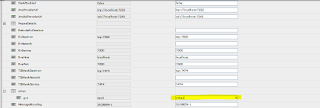
TIBCO provides global variables to change env and other constant variables. This can be achieve via below ways. Changing GV value in admin console Specifying GV value in TRA file of application Admin user can simply change GV value of application using application management console in TIBCO Administrator.

TIBCO | For Loop - Accumulate output

Image
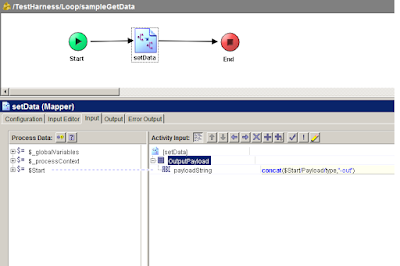
In this post we will check how TIBCO for loop works. TIBCO provides Group Activity to iterate over processes or activities. Loops can be different types eg. For Loop, While util loop, if loop, repeat on error etc. TIBCO group can loop over sub-process and accumulate output in end activity to be used by next activities. TIBCO For loop with Accumulate output repeats over process/activity and return output of each iteration in output activity. This is helpful where we want to call sub-process repeatably with different input parameters and store each output in some variable.

TIBCO | Working with REST and JSON Plugin

Image
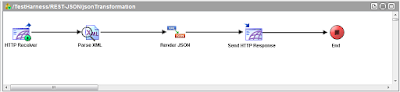
In this post we will check how to handle JSON datatype using TIBCO Designer. TIBCO Designer does not comes with built in JSON Palette in version 5.7.X. We need to install REST Plugin in order to use REST/JSON Palettes.  JSON  is lightweight datatype used in many systems mainly in web applications. JSON is lightweight as it does not require any XSD. We still can  use XML XSD in TIBCO to convert XML to JSON and vise versa. Activities : Render JSON - Converts XML data string to JSON String Parse JSON   - Converts JSON String to XML data string