Posts

Showing posts with the label TIBCO Designer

TIBCO | Admin - Rolling deployment
Image
One of the important feature of enterprise application is to implement changes dynamically without affecting user experience. TIBCO applications can be configured in similar ways. This is called as rolling deployment or restart. We can dynamically change application with new EAR file and/or Global value configuration. Note : This is applicable only where deployed application is in multi-instance state. ie. app is deployed on 2 or more machines.

TIBCO | Types of variables

Image
In this post we will discuss about different types of TIBCO variables. TIBCO application can uses any of this variables to manipulate data and logic. TIBCO variable types are as follow Global variables Process variables Shared variables

TIBCO | Changing global variable without modifying GV file

Image
TIBCO provides global variables to change env and other constant variables. This can be achieve via below ways. Changing GV value in admin console Specifying GV value in TRA file of application Admin user can simply change GV value of application using application management console in TIBCO Administrator.

TIBCO | For Loop - Accumulate output

Image
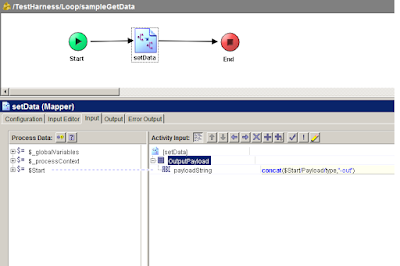
In this post we will check how TIBCO for loop works. TIBCO provides Group Activity to iterate over processes or activities. Loops can be different types eg. For Loop, While util loop, if loop, repeat on error etc. TIBCO group can loop over sub-process and accumulate output in end activity to be used by next activities. TIBCO For loop with Accumulate output repeats over process/activity and return output of each iteration in output activity. This is helpful where we want to call sub-process repeatably with different input parameters and store each output in some variable.

TIBCO | EMS Message Transfer Utility

Image
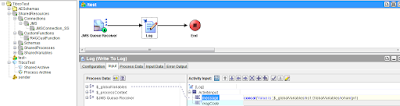
In this post we will be creating TIBCO EMS utility to transfer messages from one EMS instance to other EMS instance(from Domain 1 to Domain 2). Developer needs to keep some utilities handy to resolve production issues. Some times it happens that due to wrong EMS configuration in deployment  steps messages meant for DOMAIN-1 get routed to DOMAIN-2 or other domains  and piled up there. This messages can not be purged as messages are important from enterprise point of view(Order messages, transaction messages). Below steps will create TIBCO BW utility to transfer messages, we can also create same utility with help of Java code. 

TIBCO | Taking ROOT Code of deployed BW Project

Image
In this post I will be covering how to take root code of deployed TIBCO BW Project. Most of the times it happens with developers that code works on his machine but doesn't in deployed version. TIBCO deployed configuration can be downloaded and tested locally.  This also help developers to restore the code version if same version of code lost from SVN. 

TIBCO | Point local DEV environment to other environment

Image
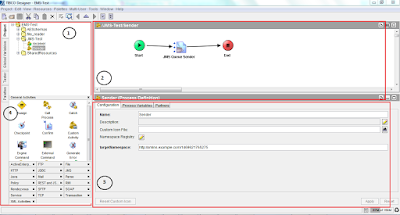
While developing or debugging TIBCO BW application there comes a situation where a developer needs to point its local dev project to one of the test environments.  TIBCO Designer provides feature to point to other environments without changing current  Global Variables  containing Dev properties(Such as JMS details). This important to debug the deployed code with current dev code. In coming post I will we giving steps to take deployed code(Root code) and debug it.  With TIBCO Designer with can provide configuration file(.cfg file) and change the GVs before running code in test mode.

TIBCO | JMS Queues configuration

Image
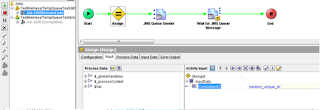
In previous post we check how dynamic queues are created, in this post we will be checking how to configure JMS response queues. We can replace JMS Queue requester activity with JMS Queue Sender and wait for JMS design pattern. As TIBCO solution is implemented for large enterprises the LOAD balancing is important part. Normally single instance of TIBCO BW application is deployed in TIBCO Admin. For production environments multiple instances of same application are run on different machines for load balancing.

TIBCO | JMS Queues

Image
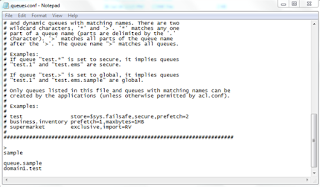
TIBCO provides EMS(Enterprise Message Service) for performing message communication with various system and internal processes. As explain in earlier post main purpose of EMS implementation is message transportation with reliable channel. TIBCO provides reliable message service by persisting messages in file store/DB stores etc. There is 100% guarantee of messages being delivered to receiver system. TIBCO JMS related activities are well explained in TutorialsPedia blog. In this post we will be covering dynamic queues, Request/Response dynamic queues.

TIBCO | JNDI Server & JMS Instance creation

Image
In this post we will be creating TIBCO JNDI server and other instance pointed to JNDI server. First lets see what is mean by JNDI. It is   Java API for a directory service that allows Java software clients to discover and look up data and objects via a name. TIBCO EMS uses JNDI concept to lookup for EMS objects and its relations in messaging service. While developing enterprise level TIBCO solution it is advise or say standard practice to create one JNDI server(also one backup JNDI server) and other instance servers according to the functionality or domains. In this tutorial we will be creating one JNDI server and two domain servers.

TIBCO | BW Project Strucutre

Image
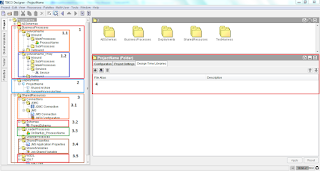
As explained in earlier post TIBCO Designer is used to develop Enterprise middleware applications. It is necessary to follow certain structure to develop BW Project to ensure low complexity and easier component understanding. Standard structure also allows to follow certain software design patterns in enterprise applications.

TIBCO | Middleware

Image
TIBCO is most widely used middleware product in market. TIBCO is providing integration solutions from last 2 decades(1997 - Current). TIBCO provides solutions for Integration, Orchestration, Business Process Management and Analytics. TIBCO Products TIBCO AMX BusinessWorks (Aka TIBCO BW)